This tool turns collateral feedback into a structured, numbered review instead of a WhatsApp thread. You mark up the artwork directly, every comment must state a requested change, and the review ends with a clear verdict. Nothing is uploaded anywhere — artwork and comments stay in your browser until you export.
FLOW brief → artwork → pin comments → brief check → verdict → export
Start with the brief
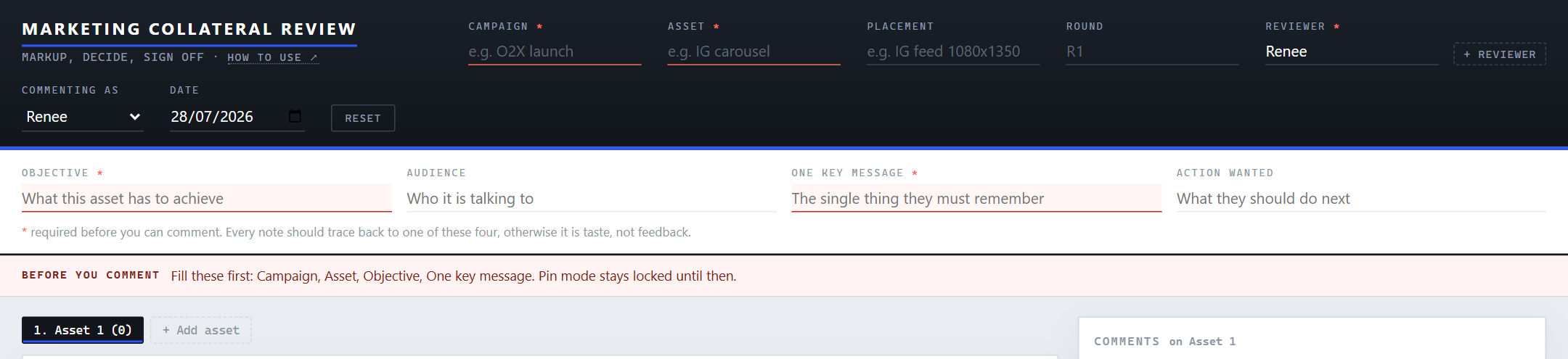
Fill the fields marked * first: Campaign, Asset, Reviewer, Objective and One key message. Commenting stays locked until they're in — the red strip tells you what's missing.
- Objective — what this asset has to achieve (e.g. "Drive first-time online orders").
- One key message — the single thing the audience must remember after seeing it. One sentence. If you can't write it, the asset probably says too many things — that's your first finding.
Add the artwork
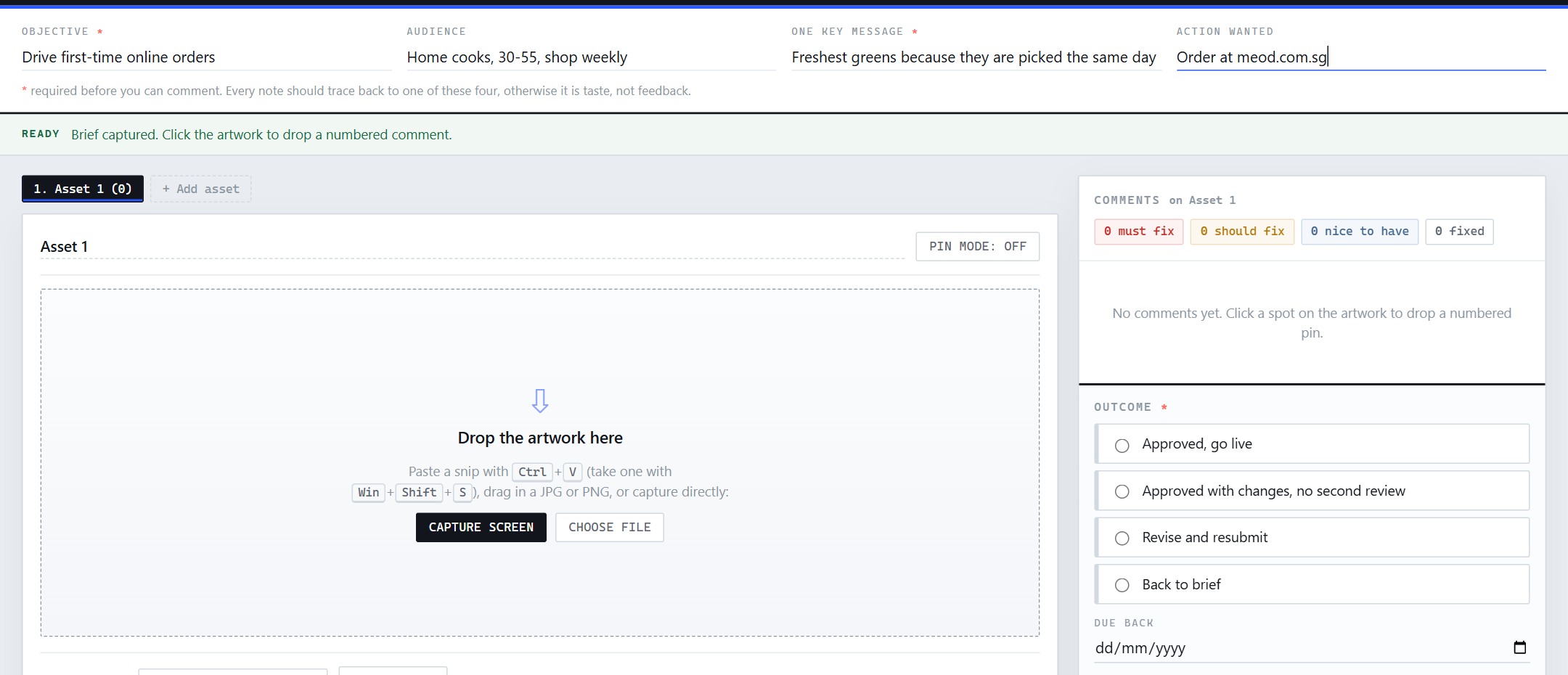
Once the strip turns green ("Ready"), load what you're reviewing — four ways:
- Capture screen — the built-in snip: pick a window or screen, then drag-select exactly the area you need (or use the full image).
- Paste — take a snip with Win+Shift+S, then Ctrl+V here.
- Drag in a JPG/PNG, or Choose file.
Reviewing a web page? Capture the full scroll, not just the top.
Use + Add asset for multi-part reviews — one tab per poster size, carousel slide, or web page. Name each tab so the export reads cleanly.
Pin your comments
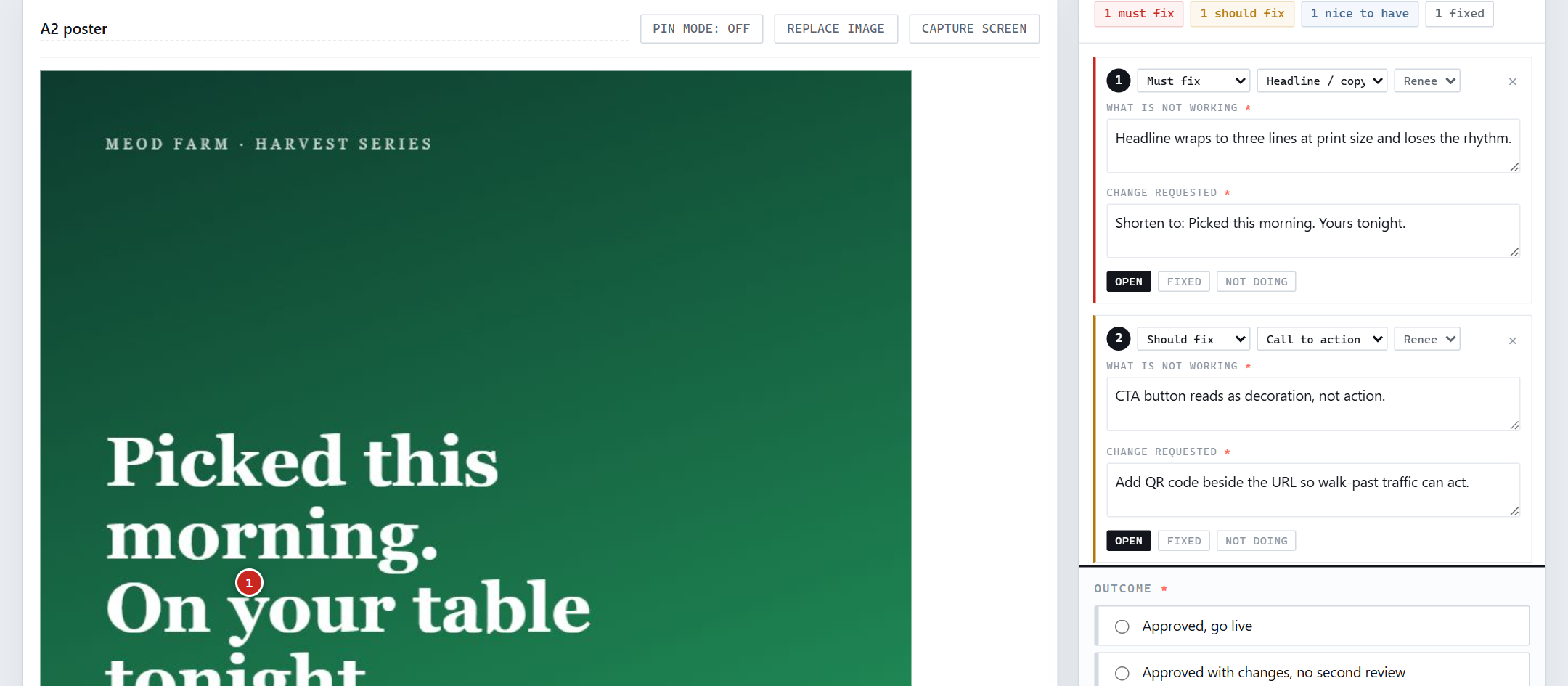
With Pin mode on, click a spot on the artwork to drop a numbered pin. Each pin needs two things — and both are required:
- What is not working — the observation, tied to the brief.
- Change requested — the specific change. "Make it pop" is not a change; "Shorten headline to X" is.
Set a severity on each: MUST FIX blocks approval, SHOULD FIX is strong advice, NICE TO HAVE is optional polish. Tag the category and who's commenting. Pins can be dragged to reposition; on later rounds, mark them Fixed or Not doing.
Run the brief check
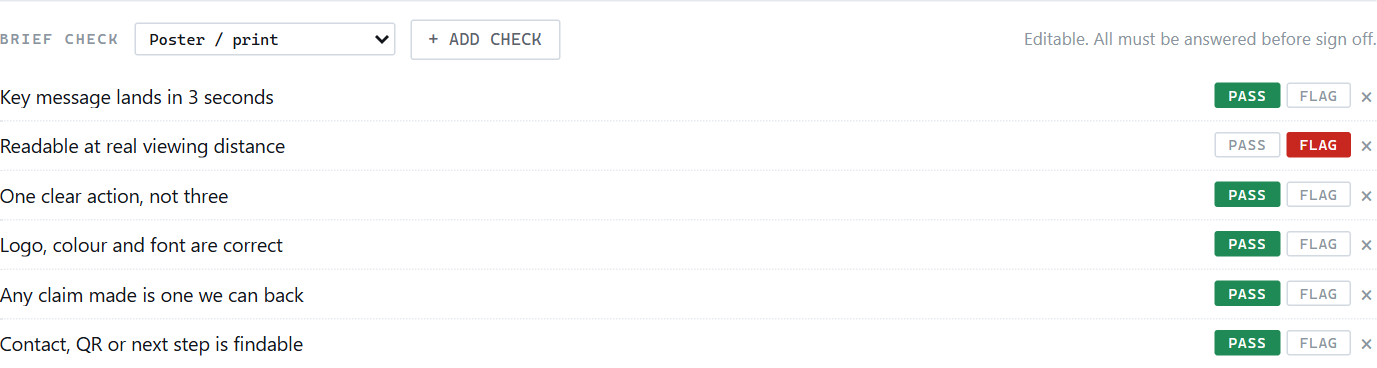
Below the artwork is a short checklist. Pick the preset for the format — Poster / print, Social, Website or Email / EDM — and answer every row with Pass or Flag. The rows are editable and you can add your own; sign-off is blocked until all are answered.
Decide, then share
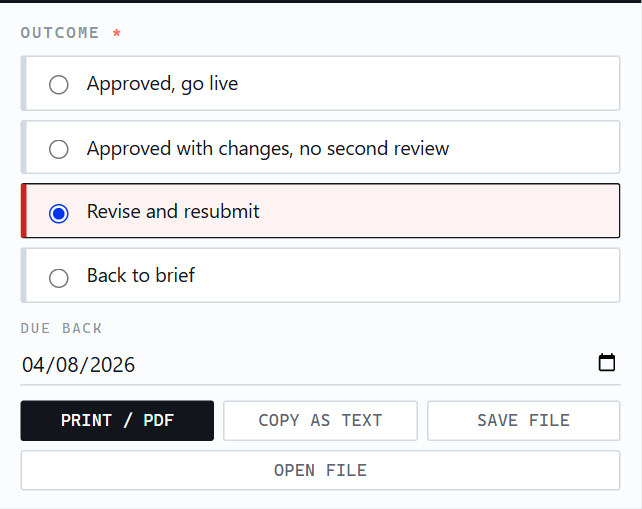
Pick one outcome: Approved, go live · Approved with changes, no second review · Revise and resubmit · Back to brief. Anything except a clean approval needs a due-back date. The red list shows whatever still blocks sign-off.
Then export:
- Print / PDF — full review with pinned artwork, for the record or the designer.
- Copy as text — paste-ready summary for chat or email.
- Save file — downloads the review as a JSON file. Anyone can re-open it here with Open file to continue round 2. Save finished reviews to the campaign's shared folder.
Good to know
- Your draft autosaves.
- The review saves itself to your browser every few seconds. Close the tab or refresh and it comes back. The Reset button in the top bar clears everything and starts a blank review (it asks for confirmation first). Note: the draft lives in this browser on this computer — to hand a review to someone else, use Save file.
- Nothing leaves your machine.
- There's no server and no account. Artwork and comments exist only in your browser and in the files you export.
- Reviewing with multiple people?
- Add each name with + Reviewer, and switch "Commenting as" before pinning so comments are attributed. Or review in sequence: one person saves the JSON, the next opens it and adds their pins.
- Round 2 and later.
- Open the previous round's JSON, bump the Round field (R1 → R2), replace the artwork with the revised version, and mark earlier pins Fixed / Not doing before adding new ones.